Ask AI
Ask about a place. Get the answer on a map.
Ask AI finds the data, runs the spatial analysis and adds the result to your map. Every step it took is saved with the layer, so you can check it, change it and run it again.
Which Christchurch schools sit within 200 m of the flood extent?
What Ask AI did
-
1
Found the data
Christchurch City Council's school layer and its modelled 200-year flood extent, from the Data Hub.
-
2
Simplified the flood extent
To 5 m, so the council's detailed model can be overlaid.
-
3
Buffered it by 200 m
And merged the buffer into one shape.
-
4
Kept the schools that touch it
The count is under the map.
Source: Christchurch City Council, CC BY 4.0
This map is published, so anyone with the link can open it. Your own results stay private until you publish them.
Where the data comes from
OpenStreetMap
Roads, buildings, shops, land use and transport for the whole planet, read for the area you ask about.
The Data Hub
Public layers from ArcGIS and OGC services, STAC catalogues and live feeds. Ask AI adds the ones it needs to your map.
36 sources · 13,458 layers
Search the Data Hub →
What it can run
Ask AI uses GISOwl's own analysis tools: buffer, isochrones, directions, elevation, H3 grids, intersect, clip, subtract, join, filter, dissolve, simplify and point counts, plus read-only SQL on your connected databases. When none of those fit, it drafts a script that you review and then run in a sandbox.
It styles each new layer as well; change the style in the style editor like any other layer's.
Check it, change it, run it again
Every step Ask AI runs is saved with the layer it made. Open any step on the map, change a distance or swap a layer, and run it again; each run is kept in the layer's version history.
Ask it to refresh a source on a schedule, such as weekly, and the steps that read it run again when the source changes. A published map stays as you published it until you publish again.
More questions, answered on a map
-
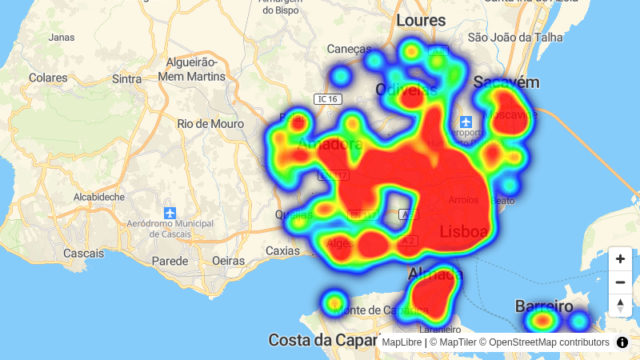
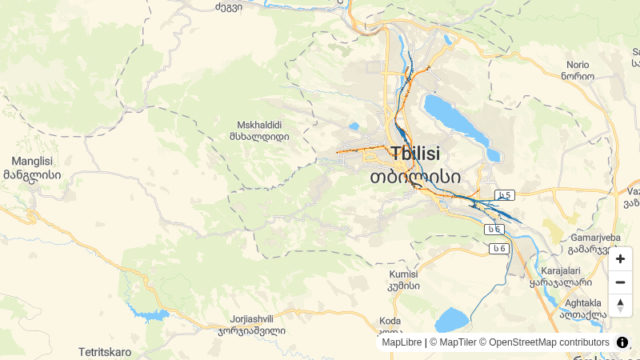
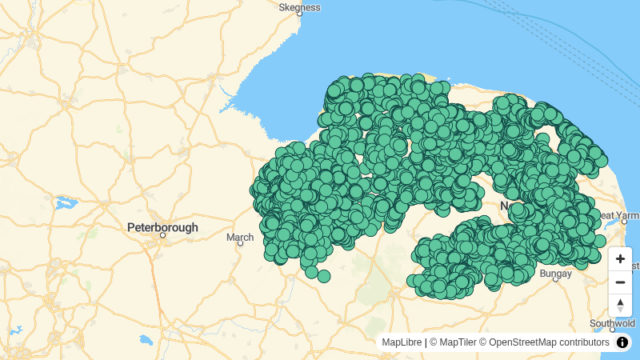
“Where is the nearest supermarket more than 1 km away?”
-
“Which buildings fall inside a 50 m corridor along the city's rail lines?”
-
“Where can fewer than half of premises get gigabit broadband?”
Frequently asked questions
Using Ask AI
Can it change my connected data?
No. SQL on your connections is read-only. Ask AI writes its results as new layers in your workspace.
Are results public by default?
No. A result stays in your workspace until you share it with a link or publish it, and unpublishing removes the public copy at once.
Which AI models does Ask AI use?
Mostly OpenAI and Google models; Groq and Anthropic models stand in for query planning when those are unavailable. Your prompts and the map data needed to answer them go to these providers only to return a response, under contracts that prohibit training on them.
How do Credits work?
GISOwl uses Credits, one pool for the whole workspace, spent on Ask AI. Paid plans include a monthly allowance, shown on each plan, and you can buy credit packs at any time as a one-time payment.
Connecting an agent
Can I use GISOwl from Claude, ChatGPT or my own agent?
Today an agent can call GISOwl's REST API with your workspace API key, the way the Python SDK does. The MCP server, which will give those tools Ask AI's tools and sources directly, is coming soon.
Can an agent see my other workspaces?
No. A key belongs to one workspace, and everything it does stays there.
How do I publish or embed a map an agent made?
It is in your workspace like any other map: publish it, then copy the iframe embed code from the Share dialog. A published version never changes until you publish again.
Ask your first question
Name a place and what you want to know about it.